Workflow Triggers
Every automation starts somewhere. ByteChef supports scheduled and event-driven triggers, so workflows can run when a specific event happens or when a schedule says they should.
Run workflows on your schedule
Schedule workflows to run every minute, hour, day or month with flexible Cron expressions, ideal for recurring syncs, reports and maintenance tasks.
Respond to events as they happen
Start workflows when applications emit events, webhooks arrive, forms are submitted or other supported triggers occur.
Free-form Canvas
Automation should become easier to understand as it grows, not harder. Arrange integrations, AI agents, conditions and logic however your team thinks.
Group related workflows into projects and your automation library stays organized, making even large automations easy to navigate and maintain.
Why teams choose it
Stays legible at scale
Workflows stay legible as they grow from a handful of steps to hundreds.
Traceable connections
Every connection is traceable at a glance - no documentation required.
Confident changes
Changes are made with confidence, without losing sight of the bigger picture.
Fast onboarding
Help new team members understand complex automations in minutes.
Reorganize workflows in seconds
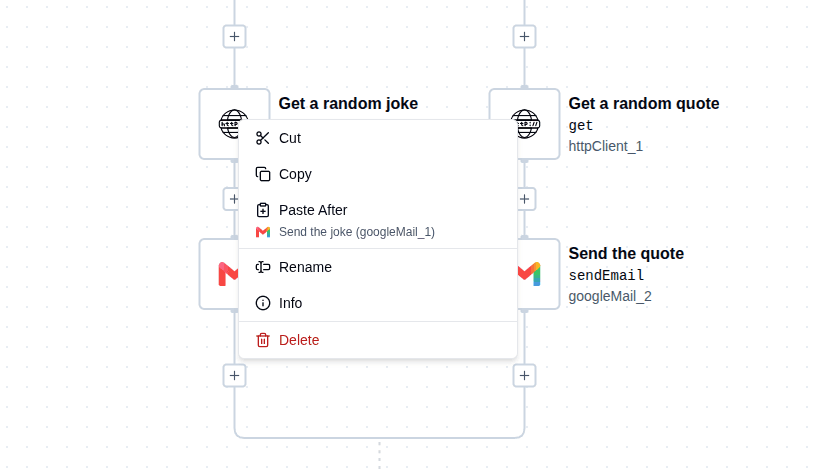
Every action is only one click away
Drag-and-Drop Workflow Building
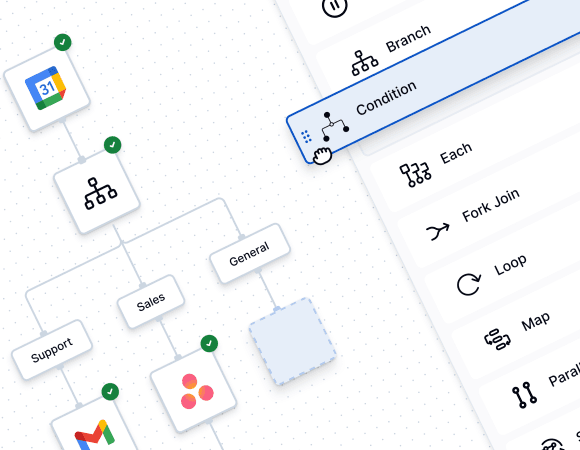
Building automations shouldn't require piecing together dozens of API calls before you see results. ByteChef lets you assemble workflows visually by dragging triggers, actions and flow controls directly onto the canvas.
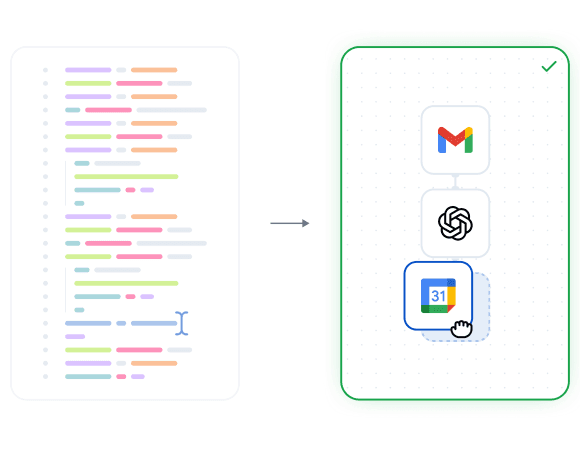
ByteChef doesn't force a single way of building - the same engine runs automations authored three different ways, and you choose the one that fits the task.
No-code
Build entirely on the visual canvas with a growing library of pre-built components.
Low-code
Canvas plus a Script step (JavaScript, Python or Ruby) for the one step that needs custom logic.
Full-code
Define the whole workflow as code, version it in Git, and ship it through CI.
Replace complexity with clarity
Traditional integrations quickly become collections of scripts, API calls and configuration files spread across multiple systems.
With ByteChef every integration becomes a visual workflow anyone on the team can understand in seconds. Business logic stays visible instead of being buried inside code.
See it in action
Simply drag new components onto the canvas, connect them, configure their inputs and continue building. Changes happen instantly, making it easy to prototype, iterate and evolve workflows as requirements change.
Flow Controls
Real business processes rarely follow a straight line. They branch, repeat, wait for approvals, execute tasks in parallel and make decisions based on data.
ByteChef provides dedicated, purpose-built controls for each of these scenarios, allowing you to build sophisticated workflow logic visually while keeping every execution path easy to understand.
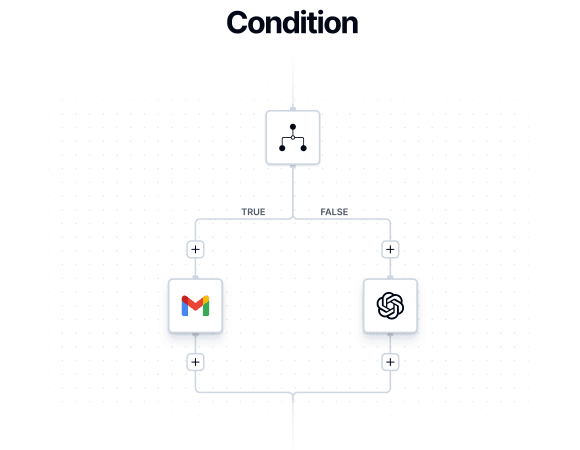
Condition
Directs a stream based on true/false results of comparisons.
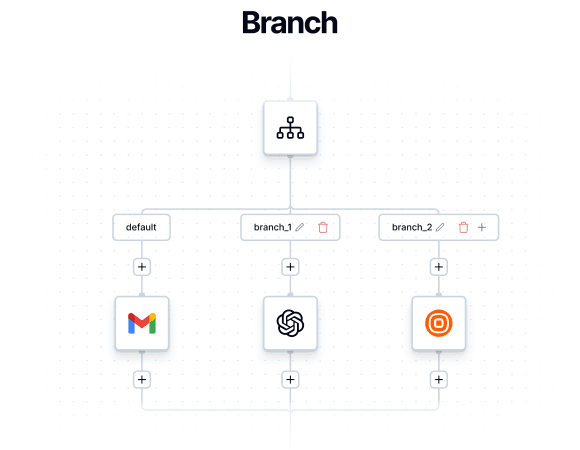
Branch
Executes one and only one branch based on an expression value.
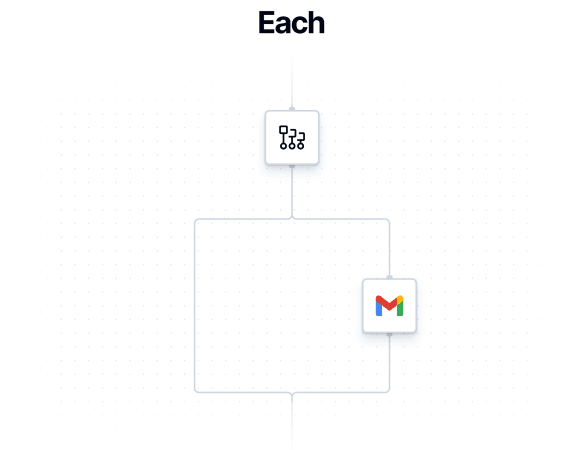
Each
Iterates over each item in a list, in parallel.
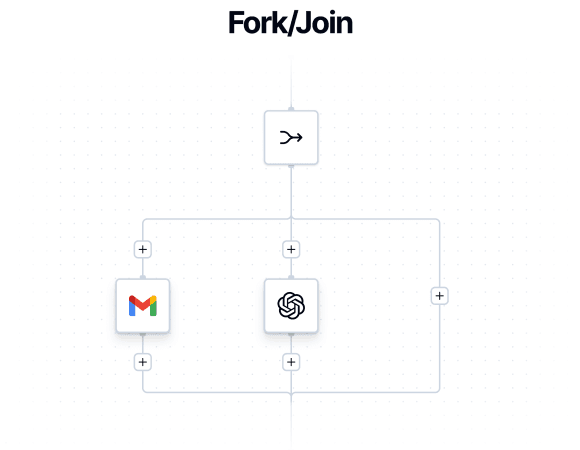
Fork/Join
Executes each branch as a separate, isolated sub-flow.
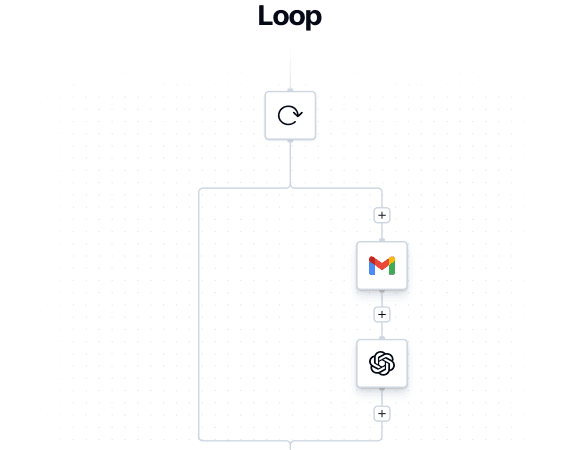
Loop
Loops sequentially over a list of items.
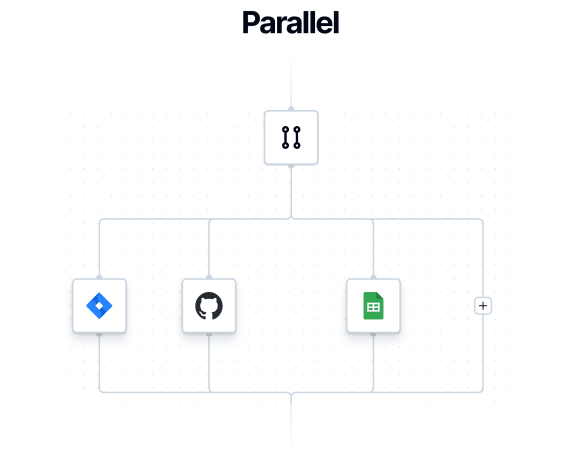
Parallel
Runs a collection of tasks in parallel, without waiting on each one to finish.
Go beyond the basics
Real processes don't stop at branches and loops. Map over data, reuse workflows as subflows, recover from errors and pause for approvals. Every control you need for advanced logic is already built in.
Combine controls to model real business processes
Flow controls are designed to work together. Combine conditions, loops, branching and parallel execution within the same workflow to model even the most complex automation without sacrificing clarity.
Dynamic Values & Data Pills
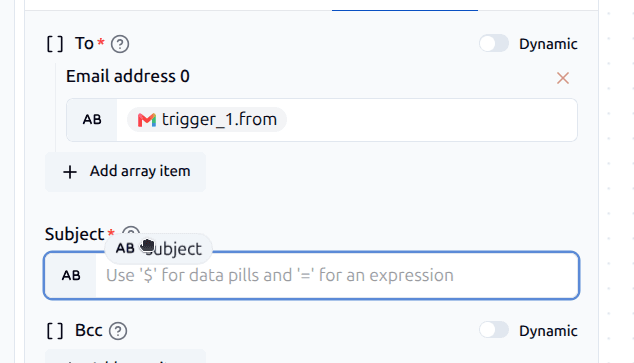
Stop hard-coding values between steps. Click into any field and the Data Pill Panel surfaces every output from earlier steps - click to insert the dynamic value, or drag and drop it. It's that simple.
Reference it anywhere and it stays live as your data changes.
Seamless Mapping
Zero manual re-typing between steps
Real-Time Accuracy
Workflows stay accurate as upstream data evolves
Smart Context
Loops map context automatically - each iteration knows its own current item
Universal Logic
One mechanism, used everywhere - learn it once
Execution Preview & Workflow Testing
Building automations shouldn't involve guesswork. Test individual steps, inspect real data and preview execution before anything reaches production.
Every run stays fully transparent - step-by-step input, output, status, timing and full error traces when something fails - so teams can validate logic and deploy with confidence.
Test One Step
Execute only the step you're building or debugging instead of running the entire workflow.
Validate Output
Inspect outputs and confirm every data transformation clearly before moving on.
Catch Mapping Issues
Identify mapping errors and schema mismatches before they hit production deployment.
Ship with Confidence
Deploy battle-tested, fully verified automated workflows with genuine peace of mind.
Inspect every test run
Every test run records exactly what happened at every step. Inspect inputs, outputs, API requests, timing and responses before you deploy, without digging through log files. Once a workflow is in production, the same detail lives in its execution history.
AI Copilot
Build and understand workflows faster with an AI assistant inside the editor. Ask questions about your workflow, describe what you want to build or generate content directly in the fields you're working with.
Conversational Copilot
Ask questions about your workflow or let Copilot build and configure steps for you.
One-Shot Generation
Describe a workflow or skill and let Copilot build it for you in one step.
Inline Generation
Generate values, formulas, schemas, sample outputs or descriptions directly inside fields.
From existing automations to ByteChef
Already have workflows in another automation platform? AI Copilot can help you bring them into ByteChef without rebuilding them from scratch.
See AI Copilot in action
See how ByteChef uses AI Copilot to convert n8n automations into ByteChef workflows, making it easier to move existing automations and start building with ByteChef.
Don't miss what comes next
Curious what's coming or waiting for a feature to ship? Subscribe to be the first to know when it launches, plus get release notes, new feature announcements and subscriber-only discounts.
By subscribing, you agree to receive emails from ByteChef and to our Privacy Policy. You can unsubscribe at any time.